
Cockpit AI Roster Review
The AI Coach reviews your whole roster from the cockpit data and tells you who needs you first.
Run it
- Open Coaches → Coach Cockpit.
- Press AI COACH in the cockpit header. The Roster AI Coach Review panel opens and the review starts by itself.
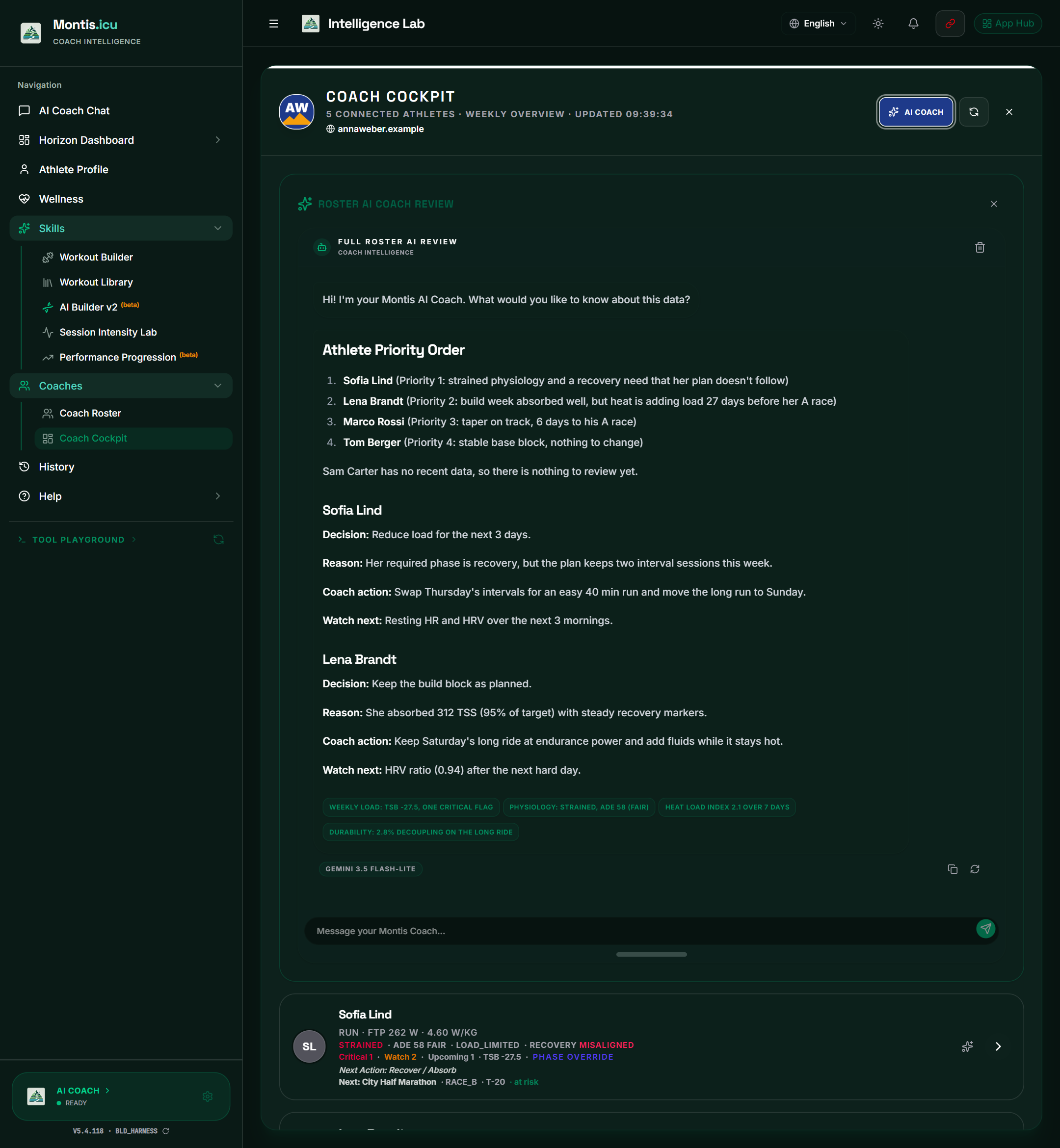
What you get
- For each athlete: Decision, Reason, Evidence, Coach action and Watch next.
- Your athletes in priority order.
- Key facts from the answer as chips. Click a chip to ask about it.
The AI Coach uses only the cockpit data. It is told not to recalculate readiness, risk, compliance, phase or training load. It answers in the app's language.
The example in the picture is illustrative. The review is written fresh from your athletes' data each time.
Keep going
- Ask follow-up questions in Message your Montis Coach.... While it answers, the AI Coach can look up more of your athletes' data with Montis tools.
- The copy button copies the answer. The retry button asks again. The bin clears the conversation.
- The model badge shows which Gemini model answered. It follows the Lite, Flash or Adv mode on the AI Coach card.
- The conversation stays in this browser for 24 hours.
AI key and usage
- Subscribers use the shared Montis AI key, up to the monthly allowance of their membership. When the allowance runs out, the app asks for your own Gemini key.
- You can use your own Gemini key at any time: Settings & API Key (the gear on the AI Coach card). See Montis Gemini App Setup.
- The Adv model needs your own pay-as-you-go Gemini key.